


Employee Self-Service Portal: Manage Time Corrections & Requests Digitally
The SEAK Employee Self-Service Portal (ESS) puts requests and corrections right at your employees' fingertips — on any device, including mobile. Log bookings, flag discrepancies, and submit approvals digitally, with automatic sync to your time management system.
Why Digital Time Correction and Request Management Make All the Difference
Many organizations still handle requests and corrections through paper forms, email chains, or informal verbal exchanges. Reports of missed clock-ins, break adjustments, or time discrepancies consume valuable time, are difficult to track, and place an unnecessary administrative burden on HR teams and managers alike.
Today's employees expect to submit requests instantly from their mobile devices. Managers need clear visibility into outstanding action items, and HR requires consistent, reliable data for time management, reporting, and payroll. The SEAK Employee Self-Service Portal (MSP) brings it all together — combining digital submission, multi-level approval workflows, and automatic data transfer into a single, seamless end-to-end process.
Digital
Requests and corrections are submitted directly through the self-service portal — no paper, no email, no back-and-forth.
Structured
Approvals run without or with 1-, 2-, or 3-stage processes — tailored to fit your organization.
Transparent
Employees and team leads always have full visibility into the status of every request — whether it's pending, approved, or rejected.
Relieving
Less manual data entry for HR and managers — especially when dealing with a high volume of small transactions.
Integrated
Approved transactions flow automatically into time management — no media breaks, no duplicate data entry.
The Trade Trusts SEAK
From retail chains and bakery franchises to service providers and cinema operators: multi-site businesses across Germany rely on SEAK to manage their workforce.
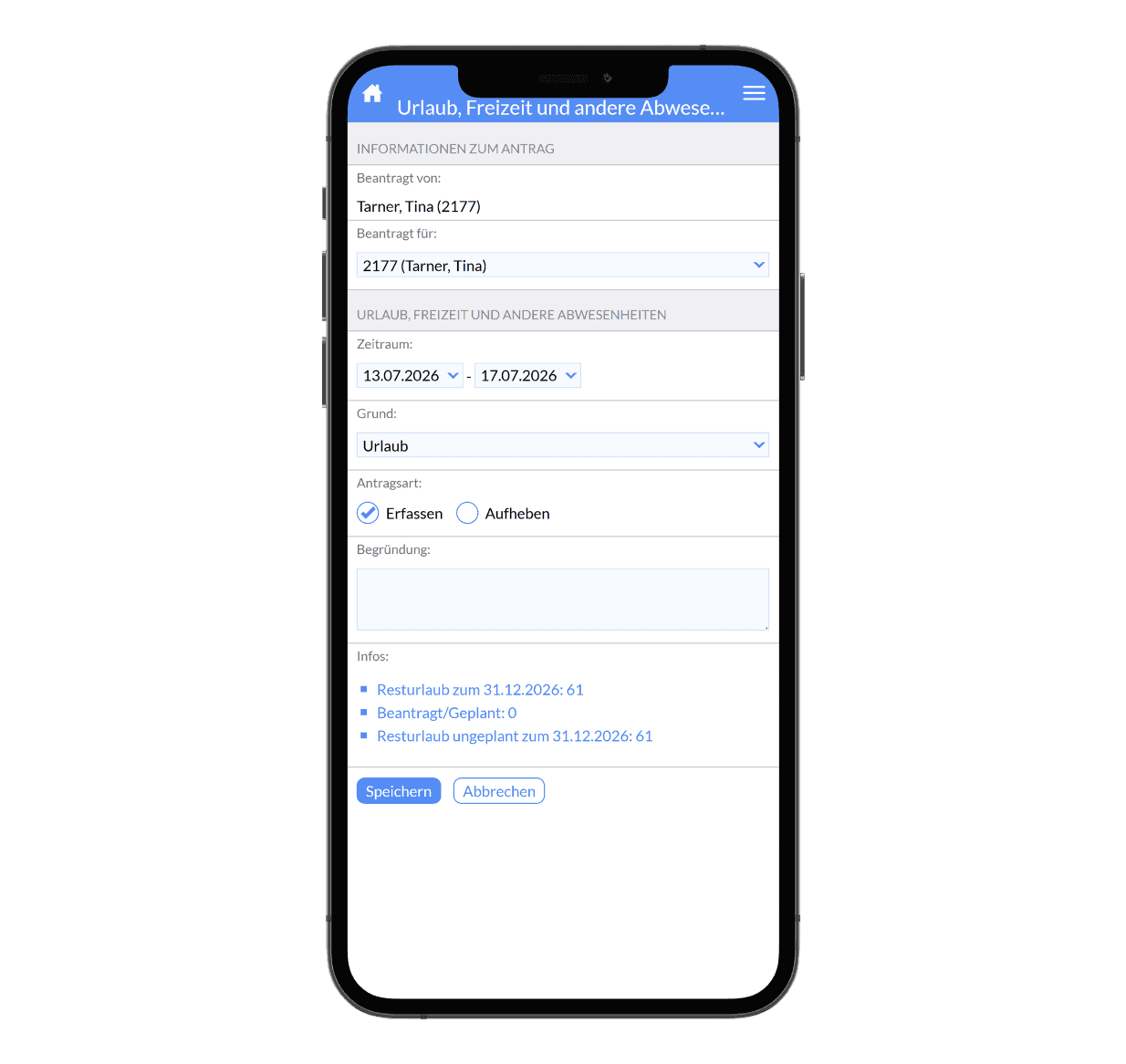
Vacation, Illness, Adjustments – Managed Directly in Your MSP
Employees submit vacation requests, report sick leave, and correct time entries directly from their mobile devices — all through the Employee Self-Service Portal. Multi-level approvals, automatic handoff to time management — no paperwork, no emails, no phone calls.
Features of the SEAK Employee Self-Service Portal for Time Correction and Request Management
The MSP digitizes requests and time corrections as a seamless end-to-end process — from submission and approval through to automatic downstream processing. This reduces turnaround times, clarifies accountability, and eliminates manual handoffs.
Digital Application Capture
Requests and corrections are captured directly in digital form — no more paper forms or informal workarounds.
Request Targeted Corrections
Missed bookings, incorrect sequences, break credits, or discrepancies can be reported in a structured, straightforward way.
Multi-Level Approval
Approvals can run without authorization or through 1-, 2-, or 3-stage processes — tailored to fit your organization.
Absence Coverage Policy
When designated approvers are unavailable, defined deputies seamlessly take over the process.
Transparent Status Tracking
Employees, team leads, and other stakeholders can check the status of any request at any time.
Automatic Import
Approved requests are transferred directly to time management — no manual re-entry required.
History & Audit Trail
Processed transactions are fully documented and can be transparently traced over defined time periods.
Notifications and Reminders
Stakeholders are notified of pending actions, keeping requests from falling through the cracks.
Time Correction and Request Management for Retail and Adjacent Industries
Digital application and correction workflows are essential wherever multiple stakeholders collaborate, distributed locations need to be connected, and information must flow seamlessly without manual handoffs.

Retail and Store Teams

Professional Services

Bakery Chains

Cinema Operations
Schedule a Free Consultation
We'd love to walk you through your options in a personal online meeting via Zoom and help you find the ideal workforce management solution for your business. Simply pick a time that works for you — your Zoom link will be sent to you by email.
Alternatively, you're welcome to reach out via our contact form — we'll get back to you promptly. Or give us a call at: +49 40 238 348 – 000
Frequently Asked Questions About Applications and Corrections
What Is the SEAK Employee Self-Service Portal (ESS)?
The SEAK Employee Self-Service Portal — MSP for short — brings together all digital self-service processes for employees, team leaders, and HR in a single platform: time corrections, requests, approvals, vacation and absence submissions, and mobile access to payroll documents. Employees can use the MSP at a terminal, at their workstation, or on the go via smartphone; managers handle multi-level approvals; and approved transactions flow automatically into time management.
What do "requests" and "corrections" mean?
This refers to digitally mapped workflows for correction requests and approvals — for example, when bookings are missing, actual hours deviate from planned hours, or similar HR-related events occur.
What's the difference between time correction and request management?
"Time correction" refers to the specific action of correcting time entries (e.g., a forgotten clock-in). "Request management" is the umbrella term for all structured requests — including time corrections, absences, and other HR workflows.
Who can submit requests?
Depending on your setup, employees can submit requests themselves or have them entered by team leads and managers — on mobile or desktop.
How do approvals work?
Approvals can be configured as direct, single-stage, or multi-stage workflows. Delegation rules and additional recipients for informational purposes are also fully supported.
How visible is your order status at any given moment?
The status of every request is visible at a glance. All stakeholders can see whether a submission is in progress, approved, or declined — including a full audit trail.
What value does HR actually deliver?
HR teams are relieved of administrative burden as requests are captured decentrally, approved through a structured workflow, and processed automatically. At the same time, data quality for time management and payroll improves significantly.
Can working hours be corrected retroactively?
Yes. Corrections to time entries, sequences, or breaks can be requested and approved in a structured workflow, then automatically updated in time management — with a clear, documented audit trail.